Multiple product tags can be generated using Title Generators. This is useful for creating Etsy tags, Shopify tags, social channel hashtags, or any other field that holds multiple values.
Create a Tag Template
- Create a new Title Generator
- Add product fields or free text fields for each tag
- Separate each tag with a ; symbol
Each ; symbol separates one tag from another. Valigara converts the result into individual tags on generation.

Apply the Template
- Go to the Catalog page and select the products
- Click Actions → Generate Titles
- Select the target tag field (e.g. Etsy Tags) and the template
- Click Run
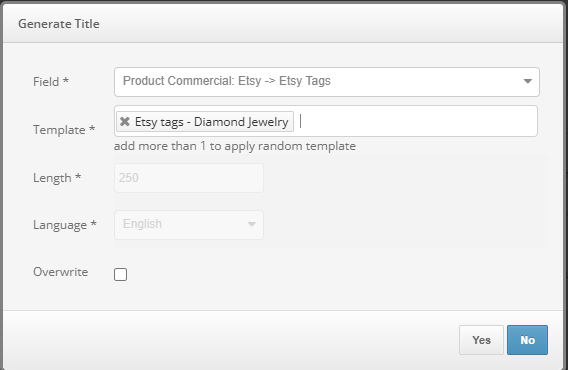
The result is a set of tags separated by the ; sign, stored in the target field.

Was this article helpful?
That’s Great!
Thank you for your feedback
Sorry! We couldn't be helpful
Thank you for your feedback
Feedback sent
We appreciate your effort and will try to fix the article