TABLE OF CONTENTS
What is Regex?
Regular Expressions (Regex) are patterns used to search, match, or validate text. Instead of searching for an exact word or phrase, Regex allows you to define rules that match many possible text variations.
Regex is especially useful when working with product data, where descriptions, SKUs, and attributes often follow patterns.
For example:
Regex in Copy Data Replace
The Copy Data Replace feature searches for a word or phrase inside selected fields and replaces it with new text.
When Regex is enabled, the system can replace patterns, not just exact text.
This is useful when cleaning or standardizing product data across many jewelry records.
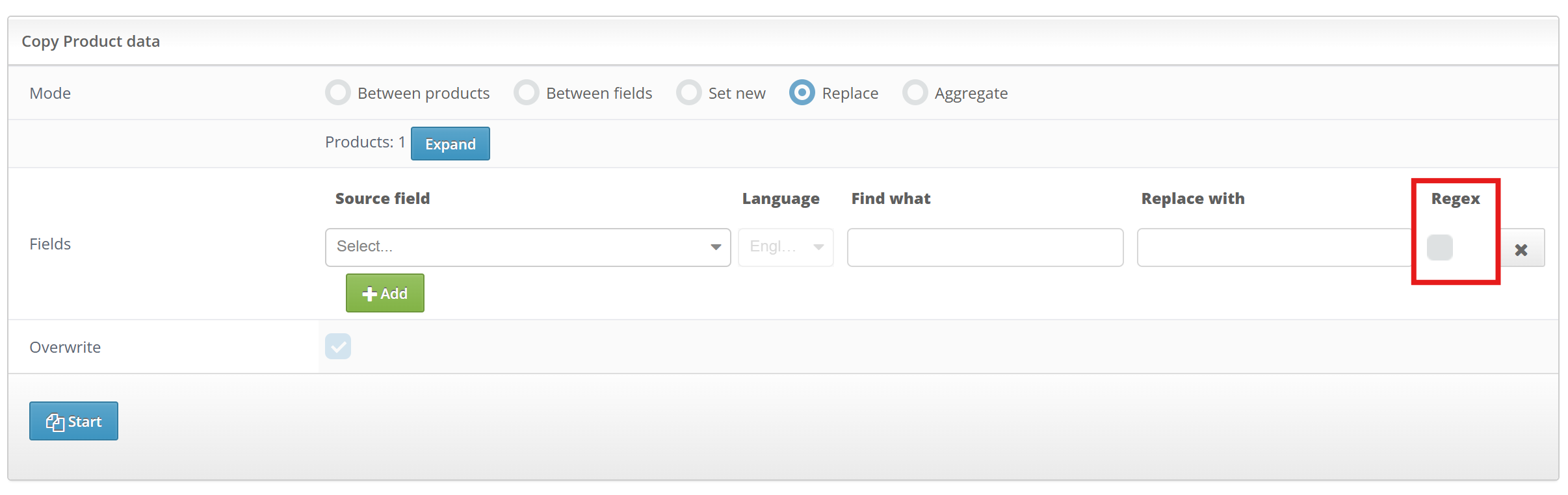
Regex in Procedure Conditions
In Procedures, Regex can be used to create dynamic conditions that match patterns inside product fields.
This allows automation rules to work across many products without needing exact matches.
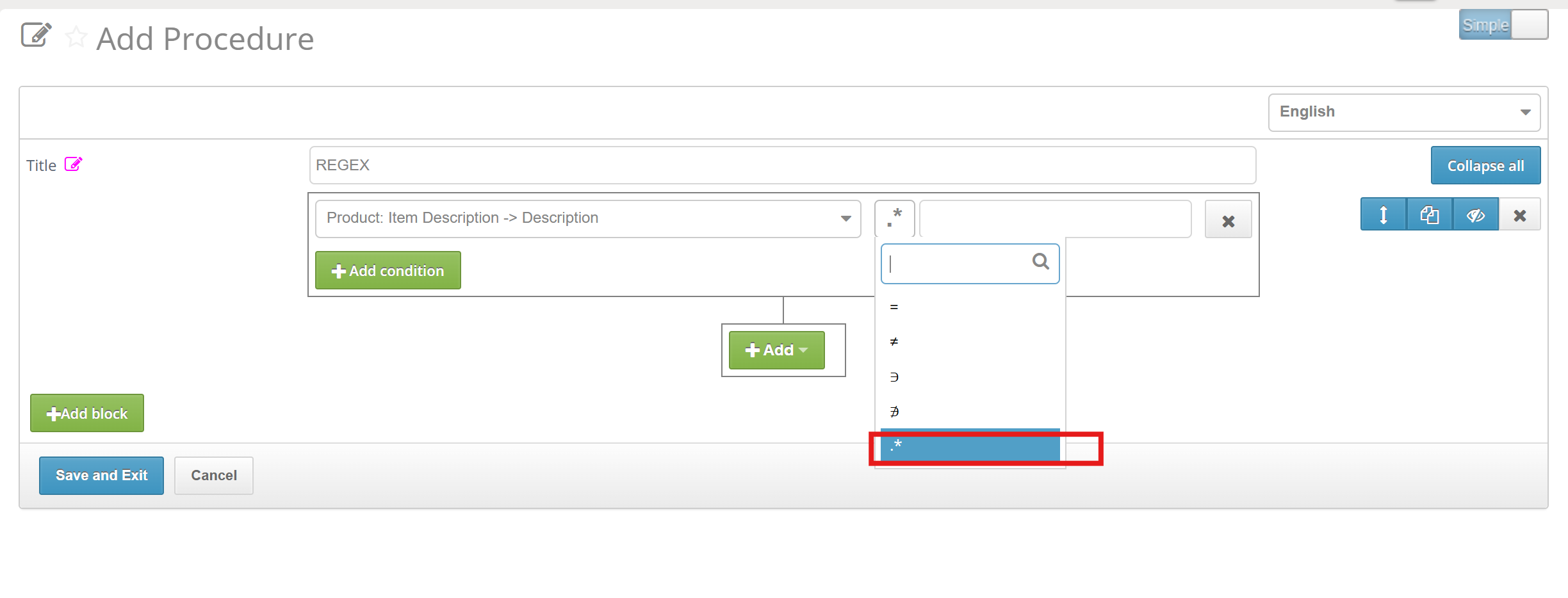
Use cases
1. Decode Missing Data from SKUs and Descriptions
When you fetch product data from a marketplace or aggregator feed, it's rarely complete. Fields like metal type, stone, size, or purity are often blank — the supplier never filled them in, or the platform stripped them during export. But that information isn't actually missing: it's encoded in the SKU or buried in the product title.
This is one of the highest-value regex applications in catalog management. Instead of requesting re-exports, chasing suppliers, or filling fields manually, you decode what's already there.
2. Stripping Third-Party Brand Names to Avoid Copyright Issues
Supplier feeds often contain other brands' names embedded directly in product titles and descriptions. This happens for legitimate reasons — a supplier might note that a chain is compatible with Pandora-style clasps, or that a setting mimics a Tiffany prong style — but publishing those names on your storefront creates real legal exposure.
The case-insensitive flag ensures you catch "pandora", "Pandora", and "PANDORA" in one rule. The optional suffix pattern removes descriptors like "-style" or "inspired" that would read awkwardly as orphaned words after the brand name is gone.
3. Normalizing Metal Purity Across Feed Sources
Every supplier has their own notation convention. A jewelry retailer pulling feeds from three or four sources will encounter purity written as: 14K, 14k, 14 K, 14-karat, 14 karat, 585, Au585, AU585, 58.5%, and occasionally just "gold" with no purity specified at all. The same product, described eight different ways.
This is a problem the moment you try to filter, group, or price by purity. A filter for "14K" returns nothing if your data says "585". A price-per-gram calculation breaks if the purity field contains "58.5%" as a string. You need one canonical form across your entire catalog — and you need the normalization to run automatically on every incoming feed.
Was this article helpful?
That’s Great!
Thank you for your feedback
Sorry! We couldn't be helpful
Thank you for your feedback
Feedback sent
We appreciate your effort and will try to fix the article